









How Inserting Works in Arrays Linked Lists Trees and Databases
Inserting worksheets is an essential operation in spreadsheet applications such as Microsoft Excel. It allows users to add new sheets within a workbook to organise data efficiently. Understanding Inserting in computer science from a spreadsheet perspective helps students manage large datasets, separate different categories of information, and improve data analysis. Whether you are creating reports, maintaining records, or analysing results, inserting new worksheets provides flexibility and better structure. Learning how to insert, rename, move, copy, and delete worksheets is a fundamental spreadsheet skill.
Definition and Meaning
Inserting in spreadsheet software refers to the process of adding a new worksheet into an existing workbook. It allows users to expand their working area without creating a new file.
- Workbook - A spreadsheet file that contains one or more worksheets.
- Worksheet - A single sheet consisting of rows and columns where data is entered.
- Sheet Tab - The label at the bottom used to navigate between worksheets.
- Insert Option - The command used to add a new worksheet.
How It Works - Working Principle
The Inserting working process in spreadsheets follows a simple structure. When a user selects the insert option, the software automatically creates a new blank worksheet and adds it to the workbook.
- Open the workbook in spreadsheet software.
- Locate the sheet tabs at the bottom of the window.
- Click on the Insert Worksheet option or the plus (+) icon.
- A new blank worksheet appears with a default name such as Sheet2 or Sheet3.
- The user can rename, move, copy, or delete the sheet as required.
Types and Classification
In spreadsheet applications, inserting mainly relates to adding new worksheets. However, it can be classified based on the method used.
- Insert Using Ribbon Menu - Selecting the Insert option from the Home or Insert tab.
- Insert Using Right Click - Right clicking on a sheet tab and selecting Insert.
- Insert Using Plus Icon - Clicking the + symbol beside sheet tabs.
- Insert Shortcut Key - Using keyboard shortcuts such as Shift + F11.
Features and Characteristics
- Creates unlimited worksheets within a workbook depending on memory.
- Automatically assigns default names to new sheets.
- Allows easy renaming and reorganisation.
- Supports copying and moving between workbooks.
- Enhances data management and clarity.
Worksheet Operations Related to Inserting
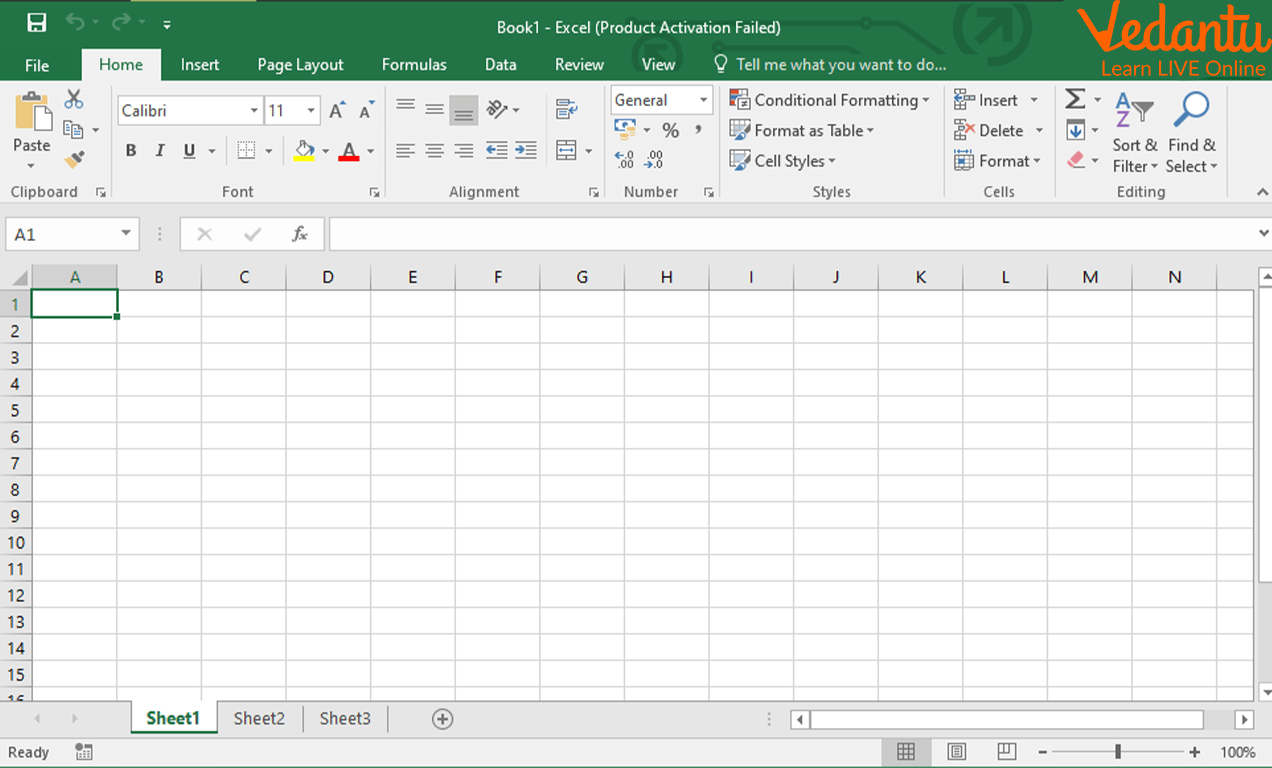
Worksheet Example
A worksheet is a grid of rows and columns used to store and manipulate data.
Selecting a Sheet
Click on the sheet tab to make it active.

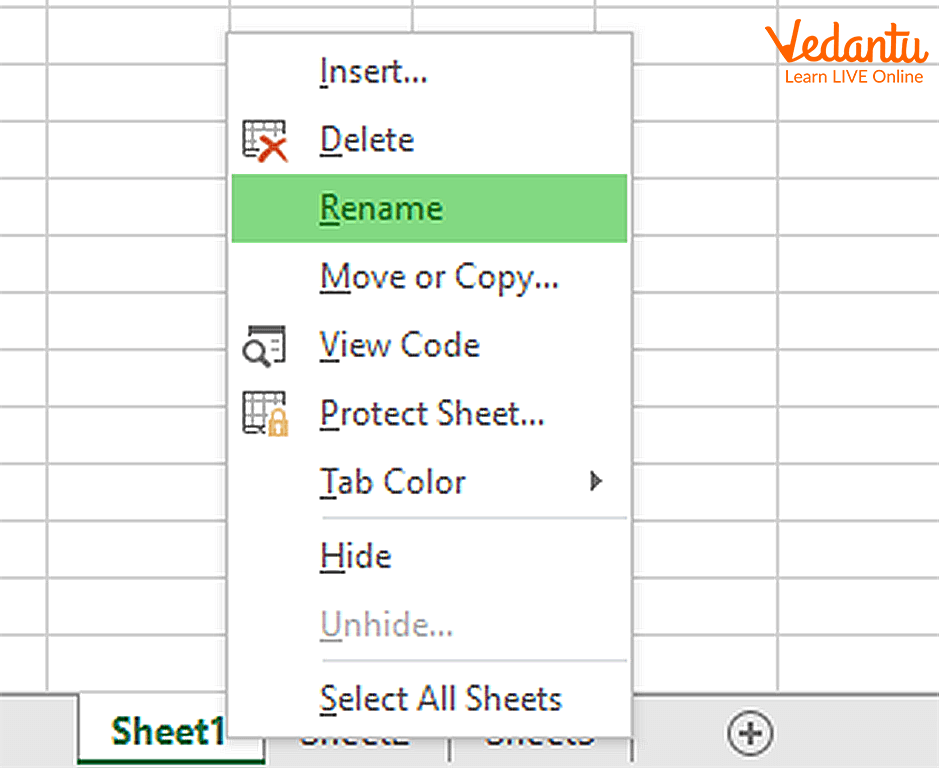
Renaming the Sheet
Double click the sheet tab and type a new name.
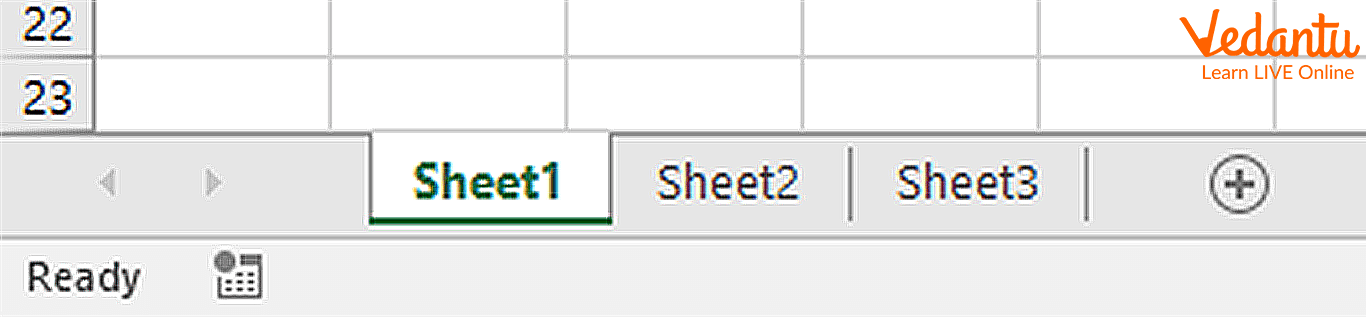
New Worksheet
A new worksheet is inserted using the plus icon or insert command.
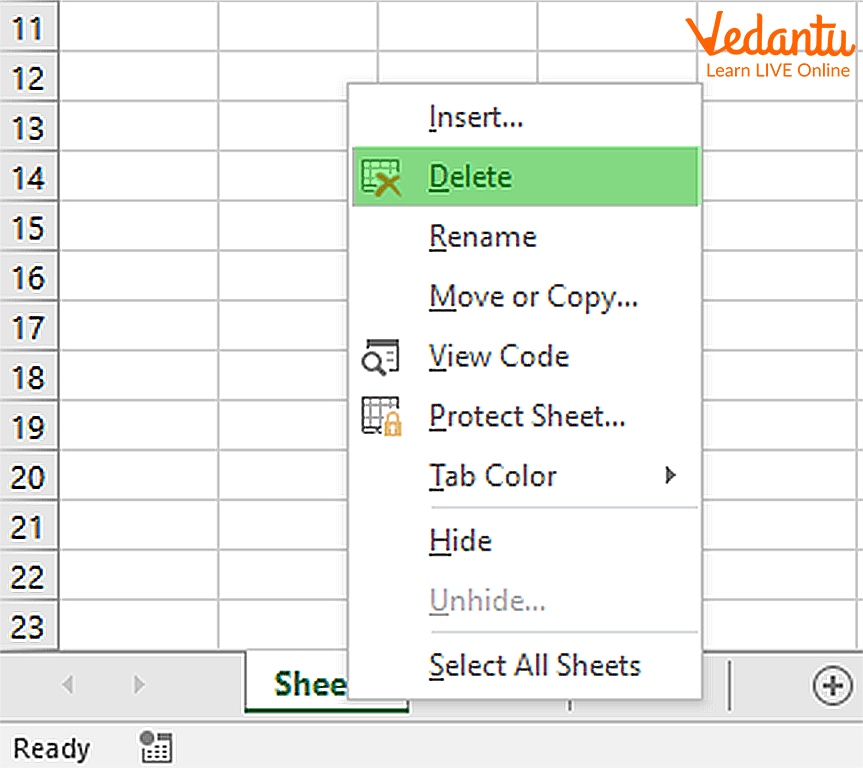
Deleting a Worksheet
Right click the sheet tab and choose delete to remove a worksheet.
Moving a Worksheet
Drag the sheet tab to reposition it within the workbook.

Copied Worksheet
Worksheets can be duplicated to reuse structure and formatting.

Advantages
- Improves data organisation within a single workbook.
- Makes reporting more structured.
- Allows separation of different data categories.
- Saves time by copying existing sheets.
- Enhances productivity in data management tasks.
Disadvantages / Limitations
- Too many worksheets can make navigation difficult.
- Large workbooks may reduce performance.
- Accidental deletion may result in data loss.
- Requires proper naming to avoid confusion.
Applications and Use Cases
- Creating monthly financial reports in separate sheets.
- Maintaining student records for different classes.
- Organising sales data by region.
- Preparing project plans with different phases.
- Managing inventory details in business operations.
Quick Facts About Inserting
| Aspect | Details |
|---|---|
| Category | Spreadsheet Operation |
| Used In | Microsoft Excel, Google Sheets |
| Shortcut Key | Shift + F11 |
| Purpose | Add New Worksheet |
These quick facts summarise the essential details about inserting worksheets in spreadsheet software.
Interesting Facts About Inserting
- A workbook can contain dozens of worksheets depending on system memory.
- Inserted worksheets inherit default formatting settings.
- Copied worksheets automatically get names like Sheet1 (2).
- Worksheets can be moved between different workbooks.
- Colour coding sheet tabs improves organisation.
- Inserted sheets can contain formulas referencing other sheets.
Conclusion
Understanding Inserting in computer science within spreadsheet applications is important for effective data organisation and management. It enables users to expand workbooks, structure information properly, and improve productivity. Mastering worksheet operations such as inserting, renaming, moving, copying, and deleting ensures better control over data. These fundamental spreadsheet skills are widely used in academics, business, and professional environments.
FAQs on Inserting in Data Structures with Examples and Algorithms
1. What is Inserting in Computer Science?
Inserting is the process of adding a new element, record, or data item into a data structure, database, or file system.
- Used in arrays, linked lists, stacks, queues, and trees
- Performed using algorithms or SQL commands in databases
- Common operation in programming, database management, and software development
2. How does insertion work in data structures?
Insertion works by placing a new element at a specific position in a data structure and adjusting existing elements if required.
- In arrays, elements may shift to create space
- In linked lists, pointers are updated
- In trees, nodes are placed according to traversal rules
3. What is the syntax for inserting data in SQL?
In SQL, insertion is performed using the INSERT INTO statement to add records to a database table.
- Basic syntax: INSERT INTO table_name VALUES (...);
- With columns: INSERT INTO table_name (column1, column2) VALUES (...);
- Used in MySQL, PostgreSQL, SQL Server, and other DBMS
4. What is the time complexity of insertion in different data structures?
The time complexity of insertion depends on the type of data structure used.
- Array (at end): O(1) if space is available
- Array (at beginning/middle): O(n) due to shifting
- Linked List (at head): O(1)
- Binary Search Tree (average): O(log n)
5. What is insertion in an array with an example?
Insertion in an array means adding a new element at a specific index and shifting elements to the right if necessary.
- Example: Insert 10 at index 2 in [2, 4, 6, 8]
- Result: [2, 4, 10, 6, 8]
- Requires updating index positions
6. How is insertion performed in a linked list?
Insertion in a linked list is done by creating a new node and adjusting the pointer references.
- At beginning: Update new node's next to head
- At end: Traverse and update last node's next
- In middle: Modify previous node's pointer
7. What are the types of insertion operations?
Insertion operations can be classified based on the position where data is added.
- Insertion at beginning
- Insertion at end
- Insertion at specific position
- Conditional insertion in databases
8. What are the advantages and disadvantages of insertion in arrays?
Insertion in arrays has both performance benefits and limitations depending on the use case.
- Advantages: Simple implementation, direct index access
- Disadvantages: Shifting elements increases time complexity
- Fixed size in static arrays limits flexibility
9. How is insertion used in real-world applications?
Insertion is widely used in software systems, databases, and web applications to store new data.
- Adding user records in a database
- Inserting items into a shopping cart
- Storing logs in cloud computing systems
10. Why is insertion important for exams and interviews?
Insertion is a fundamental operation frequently tested in data structures, algorithms, and database management systems exams and interviews.
- Common coding questions on arrays and linked lists
- Important for understanding time and space complexity
- Frequently asked in technical interviews and competitive exams
