









What Is a Computer Definition Generations Components and Applications
The History And Briefing On Computer is an important topic in computer science that explains how computers evolved from simple calculating devices to powerful modern machines. Understanding the development of computers helps students learn how technology has transformed industries, communication, and daily life. From mechanical calculators to supercomputers and microcomputers, the journey of computers reflects continuous innovation. This topic covers the origin, generations, types, components, features, advantages, limitations, and applications of computers, providing a complete foundation for studying computer fundamentals.
Definition and Meaning
History And Briefing On Computer in computer science refers to the study of the origin, development, classification, and basic functioning of computers over time.
- Computer - An electronic device that accepts data as input, processes it, and produces output.
- Generation of Computers - Different stages of development based on technology used.
- Hardware - Physical components of a computer.
- Software - Programs that instruct the computer.
- Classification - Grouping computers based on size, functionality, and purpose.
History of Computers
The development of computers can be divided into different stages, known as generations. Each generation introduced new technology that improved speed, efficiency, and storage capacity.
1. Early Mechanical Devices
- Abacus - One of the earliest calculating tools.
- Pascaline - Mechanical calculator invented by Blaise Pascal.
- Analytical Engine - Designed by Charles Babbage, known as the father of computers.
2. First Generation (1940 - 1956)
- Used vacuum tubes.
- Very large in size and consumed high electricity.
- Example - ENIAC.
3. Second Generation (1956 - 1963)
- Used transistors.
- Smaller, faster, and more reliable than first generation.
4. Third Generation (1964 - 1971)
- Used integrated circuits.
- Improved performance and reduced size.
5. Fourth Generation (1971 - Present)
- Based on microprocessors.
- Personal computers and laptops emerged.
6. Fifth Generation
- Focuses on Artificial Intelligence and advanced processing.
- Includes modern AI-based systems and supercomputers.
How Computer Works
The working of a computer follows the IPO cycle - Input, Process, Output.
- Input - Data is entered using input devices like keyboard or mouse.
- Processing - The CPU processes data using instructions.
- Storage - Data is stored in memory or storage devices.
- Output - Processed information is displayed on output devices.
Types and Classification of Computers
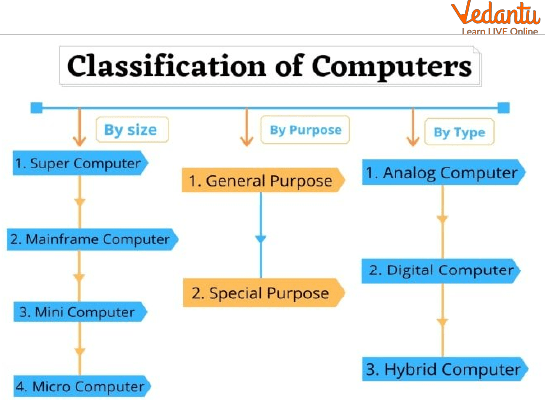
Computers are classified based on data handling and size.
1. Based on Data Handling
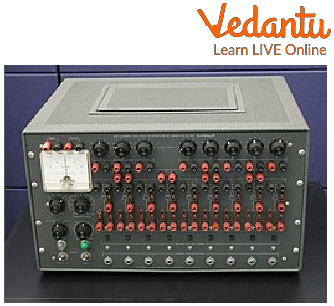
Analog Computers
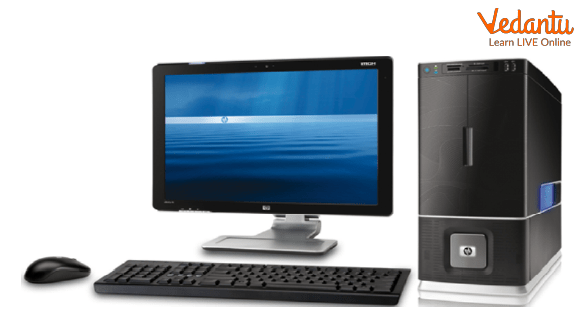
Digital Computers
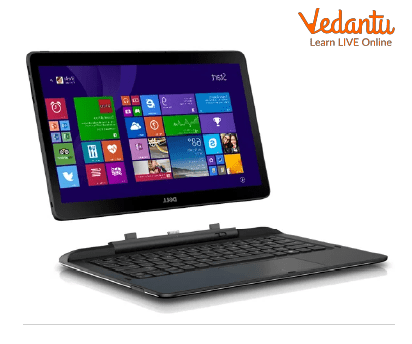
Hybrid Computers
- Analog Computers - Process continuous data such as temperature and speed.
- Digital Computers - Process discrete data using binary numbers.
- Hybrid Computers - Combine features of analog and digital computers.
2. Based on Size and Performance
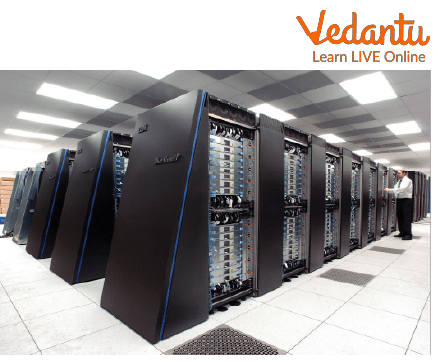
Supercomputer
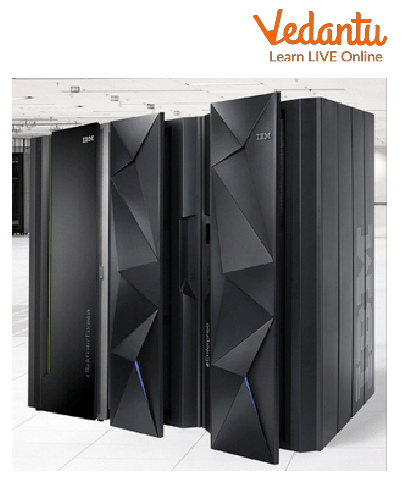
Mainframe Computers
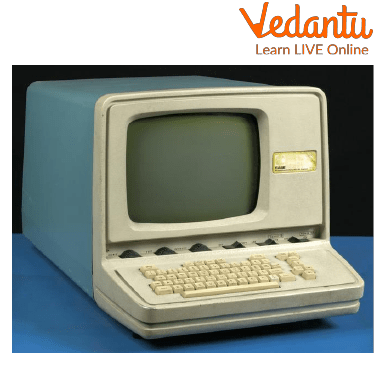
Mini Computer
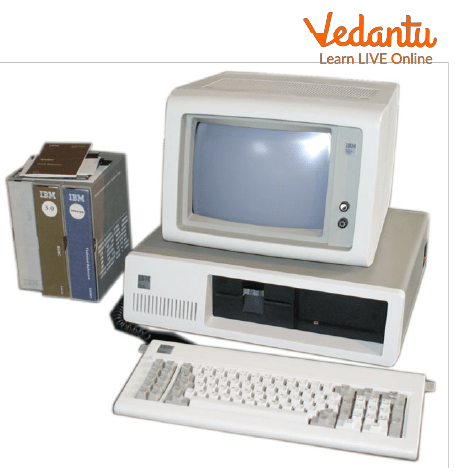
Micro Computer
- Supercomputers - Used for complex scientific calculations.
- Mainframe Computers - Used by large organizations for bulk data processing.
- Mini Computers - Mid range systems used in small businesses.
- Micro Computers - Personal computers used by individuals.
Components of a Computer
- Input Unit - Accepts data and instructions.
- Central Processing Unit (CPU) - Performs calculations and logical operations.
- Memory Unit - Stores data temporarily or permanently.
- Output Unit - Displays processed results.
Features and Characteristics
- Speed - Performs millions of operations per second.
- Accuracy - Produces precise results.
- Automation - Works automatically once programmed.
- Storage Capacity - Stores large amounts of data.
- Versatility - Used in multiple fields.
Advantages
- High processing speed.
- Large storage capacity.
- Reduces human effort.
- Supports automation in industries.
Disadvantages
- Dependence on electricity.
- Security and privacy risks.
- Possible job displacement due to automation.
Applications and Use Cases
- Education - Online learning and research.
- Healthcare - Medical diagnosis and record management.
- Banking - Online transactions and account management.
- Business - Data analysis and communication.
- Scientific Research - Weather forecasting and space research.
Quick Facts Table
| Category | Details |
|---|---|
| Inventor Concept | Charles Babbage |
| First Electronic Computer | ENIAC |
| Current Generation | Fifth Generation |
| Basic Working Principle | Input - Process - Output Cycle |
The table summarizes key information related to the history and development of computers in computer science.
Interesting Facts About History And Briefing On Computer
- The term "computer" originally referred to a person who performed calculations.
- The first computers were as large as a room.
- Microprocessors made personal computers possible.
- Modern supercomputers can perform quadrillions of calculations per second.
- AI based systems represent the future of computer technology.
- Computers operate using the binary number system.
Conclusion
Understanding the History And Briefing On Computer provides a strong foundation in computer science. It explains how computers evolved through different generations and how they are classified based on size and functionality. From mechanical devices to AI powered systems, computers have transformed every sector of society. Learning about their working, types, features, advantages, and applications helps students appreciate technological advancements and prepares them for further studies in computing and information technology.
FAQs on History and Evolution of Computer Systems Explained
1. What is the history of computers in brief?
The history of computers traces the evolution from mechanical calculating devices to modern digital systems used in software, networking, and artificial intelligence.
- Abacus (ancient tool) – early counting device
- Charles Babbage (1830s) – designed the Analytical Engine
- ENIAC (1946) – first general-purpose electronic computer
- Development of transistors, microprocessors, and personal computers
- Modern era includes cloud computing, AI, and quantum computing
2. What are the different generations of computers?
Computers are classified into five generations based on hardware technology, programming languages, and processing capability.
- First Generation (1940–1956) – Vacuum tubes, machine language
- Second Generation (1956–1963) – Transistors, assembly language
- Third Generation (1964–1971) – Integrated circuits, high-level languages
- Fourth Generation (1971–Present) – Microprocessors, personal computers
- Fifth Generation – Artificial intelligence and machine learning
3. Who is known as the father of the computer and why?
Charles Babbage is known as the father of the computer because he designed the concept of a programmable mechanical computer called the Analytical Engine.
- Introduced the idea of input, processing, and output
- Concept of memory and control unit
- Laid the foundation for modern computer architecture
4. What is a computer and how does it work?
A computer is an electronic device that processes data using hardware and software to produce meaningful output.
- Accepts input through input devices
- Processes data using the CPU (Control Unit and ALU)
- Stores data in memory and storage devices
- Produces output via output devices
5. What are the main components of a computer system?
The main components of a computer system include hardware and software that work together to execute programs.
- Central Processing Unit (CPU)
- Memory (RAM, ROM)
- Storage Devices (HDD, SSD)
- Input Devices (Keyboard, Mouse)
- Output Devices (Monitor, Printer)
- Operating System and Application Software
6. What are the types of computers?
Computers are classified into different types based on size, functionality, and data handling capability.
- Analog Computers – Process continuous data
- Digital Computers – Process binary data
- Hybrid Computers – Combination of analog and digital
- Supercomputers – High-performance scientific computing
- Microcomputers – Personal computers and laptops
7. What are the advantages and disadvantages of computers?
Computers offer high-speed processing and automation but also have certain limitations and risks.
- Advantages: Speed, accuracy, storage capacity, automation, multitasking
- Disadvantages: Security risks, cybersecurity threats, job displacement, dependency on electricity
8. What are the major applications of computers in real life?
Computers are widely used in various applications across industries and daily life.
- Education – E-learning platforms and exams
- Business – Accounting, databases, enterprise software
- Healthcare – Medical records and diagnostics
- Banking – Online transactions and cybersecurity
- Software Development – Programming and web development
9. How did programming languages evolve in computer history?
Programming languages evolved from low-level machine code to high-level languages that simplify software development.
- Machine Language – Binary instructions
- Assembly Language – Symbolic code
- High-Level Languages – C, Java, Python
- Modern trends include AI, machine learning, and cloud-based development
10. Why is the history of computers important for exams and interviews?
Understanding the history of computers helps in competitive exams, academic studies, and technical interviews.
- Common topic in computer awareness and general knowledge exams
- Helps explain evolution of hardware and software technologies
- Builds foundation for advanced topics like operating systems, networks, and AI
