









How Virus and Worm Spread and Key Differences for Exams and Interviews
In the field of cybersecurity, understanding different types of malware is essential for protecting computer systems and networks. Two common forms of malicious software are viruses and worms. Although they are often used interchangeably, they behave differently and spread in distinct ways. Knowing the difference between virus and worm in computer science helps students and professionals understand how cyber threats operate and how to prevent them. Both can damage data, slow down systems, and compromise security, but their working mechanisms and impact vary significantly.
Definition and Meaning
Virus and worm are types of malware that infect computers and networks. However, their method of spreading and execution differs.
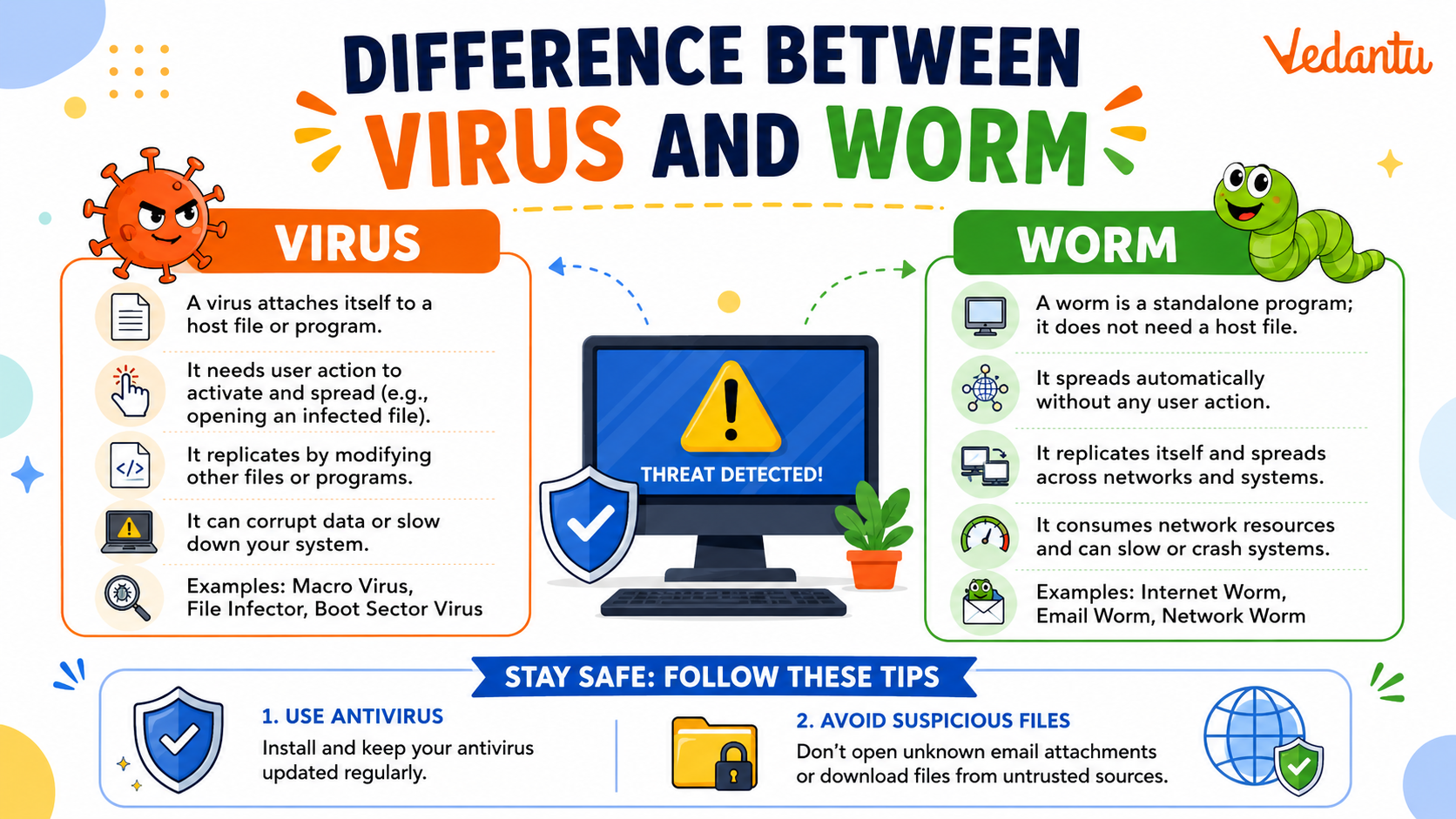
- Computer Virus - A malicious program that attaches itself to a legitimate file or program and spreads when the infected file is executed.
- Computer Worm - A standalone malware that replicates itself and spreads automatically across networks without user action.
- Malware - Any software designed to harm, exploit, or disrupt computer systems.
How It Works - Working Principle
The difference between virus and worm working lies mainly in how they spread and infect systems.
Working of a Computer Virus
- The virus attaches itself to a legitimate program or file.
- When the user runs the infected file, the virus code is executed.
- The virus replicates by infecting other files on the system.
- It may perform harmful actions such as deleting files or corrupting data.
Working of a Computer Worm
- The worm enters the system through network vulnerabilities or email attachments.
- It runs as an independent program without attaching to a host file.
- The worm automatically scans networks for other vulnerable systems.
- It replicates and spreads rapidly across networks.
Types and Classification
Types of Computer Viruses
- Boot Sector Virus - Infects the boot sector of a storage device.
- File Infector Virus - Attaches to executable files.
- Macro Virus - Infects documents with embedded macros.
- Polymorphic Virus - Changes its code to avoid detection.
Types of Computer Worms
- Email Worm - Spreads through email attachments.
- Internet Worm - Exploits network vulnerabilities.
- Instant Messaging Worm - Spreads via messaging applications.
- Network Worm - Targets entire network infrastructures.
Features and Characteristics
- Virus requires user action to spread, while a worm spreads automatically.
- Virus attaches to a host file, whereas a worm is a standalone program.
- Worm spreads faster due to network-based replication.
- Both consume system resources and may cause performance issues.
- Both can carry payloads such as ransomware or spyware.
Advantages
Viruses and worms are harmful, but studying them provides certain benefits in cybersecurity education.
- Helps in understanding system vulnerabilities.
- Improves development of antivirus and firewall systems.
- Enhances knowledge of network security.
Disadvantages and Limitations
- Data loss and corruption.
- System crashes and slow performance.
- Network congestion due to rapid spreading.
- Financial and privacy risks.
Applications and Use Cases
Although viruses and worms are malicious, their study has practical applications in cybersecurity and ethical hacking.
- Used in cybersecurity research to test system defenses.
- Helps organizations develop intrusion detection systems.
- Assists in creating network security policies.
- Educational case studies in computer science courses.
Difference Between Virus and Worm
| Basis | Computer Virus | Computer Worm |
|---|---|---|
| Attachment | Attaches to a host file | Standalone program |
| User Action | Requires execution by user | Spreads automatically |
| Speed of Spread | Slower | Faster across networks |
| Target | Individual files or systems | Entire networks |
| Impact | Corrupts or modifies files | Consumes bandwidth and resources |
The table clearly highlights the major difference between virus and worm in computer science based on attachment, spread mechanism, and impact.
Quick Facts
| Aspect | Virus | Worm |
|---|---|---|
| Category | Malware | Malware |
| Dependency | Needs host file | Independent |
| Main Spread Method | File sharing | Network vulnerabilities |
| Common Use | File corruption | Network disruption |
These quick facts summarize the essential technical differences and characteristics of viruses and worms.
Interesting Facts About Virus and Worm
- The first computer worm, called the Morris Worm, appeared in 1988.
- Worms can spread globally within minutes due to internet connectivity.
- Some viruses are designed only to display messages, while others destroy data.
- Modern worms often install backdoors for remote access.
- Antivirus software uses signature and behavior based detection methods.
- Both viruses and worms can be part of larger botnet attacks.
Conclusion
Understanding the difference between virus and worm is crucial in computer science and cybersecurity. While both are harmful types of malware, a virus requires a host file and user action to spread, whereas a worm spreads automatically across networks. Knowing their definition, working, types, and impact helps in designing stronger security systems and preventing cyber threats. This knowledge plays an important role in building secure and reliable digital environments.


FAQs on Difference Between Virus and Worm in Computer Networks
1. What is the main difference between a Virus and a Worm in Computer Science?
The main difference between a virus and a worm is that a virus needs a host file to spread, while a worm spreads automatically without user action.
- Virus: Attaches to a program or file and spreads when it is executed.
- Worm: Self-replicates and spreads over networks without attaching to a file.
- Both are types of malware in cybersecurity.
2. What is a Computer Virus?
A computer virus is a malicious software program that attaches itself to legitimate files or programs and spreads when the infected file is executed.
- Requires user action to activate.
- Can corrupt data, damage the operating system, or slow down the system.
- Commonly spreads through email attachments and infected software downloads.
3. What is a Computer Worm?
A computer worm is a standalone malware program that replicates itself and spreads automatically across networks.
- Does not need a host file.
- Spreads through network vulnerabilities and security loopholes.
- Can consume bandwidth and overload servers.
4. How does a Virus spread in a computer system?
A virus spreads by attaching itself to executable files and activating when the infected program runs.
- Infects .exe or application files.
- Spreads via USB drives, email attachments, and pirated software.
- Requires user interaction to execute the infected file.
5. How does a Worm spread across networks?
A worm spreads automatically by exploiting security vulnerabilities in networks and operating systems.
- Uses network protocols to replicate itself.
- Does not require user execution.
- Can spread rapidly in LAN and Internet environments.
6. What are the types of Computer Viruses and Worms?
Both viruses and worms have different types based on their working mechanism and attack strategy.
- Virus types: File infector virus, Boot sector virus, Macro virus, Polymorphic virus.
- Worm types: Email worm, Internet worm, Network worm, Instant messaging worm.
- Classification is important for cybersecurity exam preparation.
7. What are the advantages and disadvantages of Viruses and Worms?
Viruses and worms generally have harmful effects, but they are studied in Computer Science to improve security systems.
- Disadvantages: Data loss, system crash, network congestion, security breach.
- Academic advantage: Helps in developing better antivirus software and network security models.
- Important topic in cybersecurity and ethical hacking.
8. Which is more dangerous: Virus or Worm?
A worm is generally considered more dangerous because it spreads faster without user interaction.
- Worms can infect entire networks quickly.
- Viruses spread slower as they require execution.
- Severity depends on the malware's payload and system vulnerability.
9. How can you prevent Virus and Worm attacks?
Virus and worm attacks can be prevented using proper cybersecurity practices and system protection tools.
- Install updated antivirus software and firewalls.
- Regularly update the operating system and applications.
- Avoid downloading unknown files or clicking suspicious links.
10. Why is the difference between Virus and Worm important for exams and interviews?
Understanding the difference between virus and worm is important for Computer Science exams, interviews, and cybersecurity fundamentals.
- Frequently asked in school exams and competitive tests.
- Common interview question in network security roles.
- Helps build a strong foundation in malware classification and system security concepts.
