









What Are the Main Types of Computer Networks and How Do They Work
In computer science, networks play a crucial role in enabling communication and data sharing between devices. Types of Networks refer to the classification of computer networks based on their size, coverage area, and purpose. From connecting devices within a single room to linking computers across continents, different network types are designed to meet specific communication needs. Understanding the various types of networks in computer science helps students and professionals grasp how the internet, offices, schools, and mobile systems function efficiently in today’s digital world.
Definition and Meaning
Types of Networks in computer science refer to the different categories of computer networks classified according to geographical area, connectivity, and usage. Each type is designed to serve specific communication requirements.
- Computer Network - A collection of interconnected devices that share resources and data.
- Nodes - Devices such as computers, printers, or servers connected to a network.
- Transmission Media - Wired or wireless channels used to transfer data.
- Coverage Area - The geographical area over which a network operates.
How It Works - Working Principle
The working of different types of networks is based on connecting devices through communication channels and enabling data exchange using standard protocols.
- Devices such as computers, smartphones, or printers are connected using cables or wireless signals.
- Each device is assigned a unique IP address for identification.
- Data is divided into small units called packets.
- Packets are transmitted through routers and switches using networking protocols like TCP or IP.
- The receiving device reassembles the packets to retrieve the original data.
The main difference between various types of networks lies in their size, transmission speed, and geographical coverage.
Types and Classification
There are several types of networks in computer science, categorized mainly by their geographical coverage.
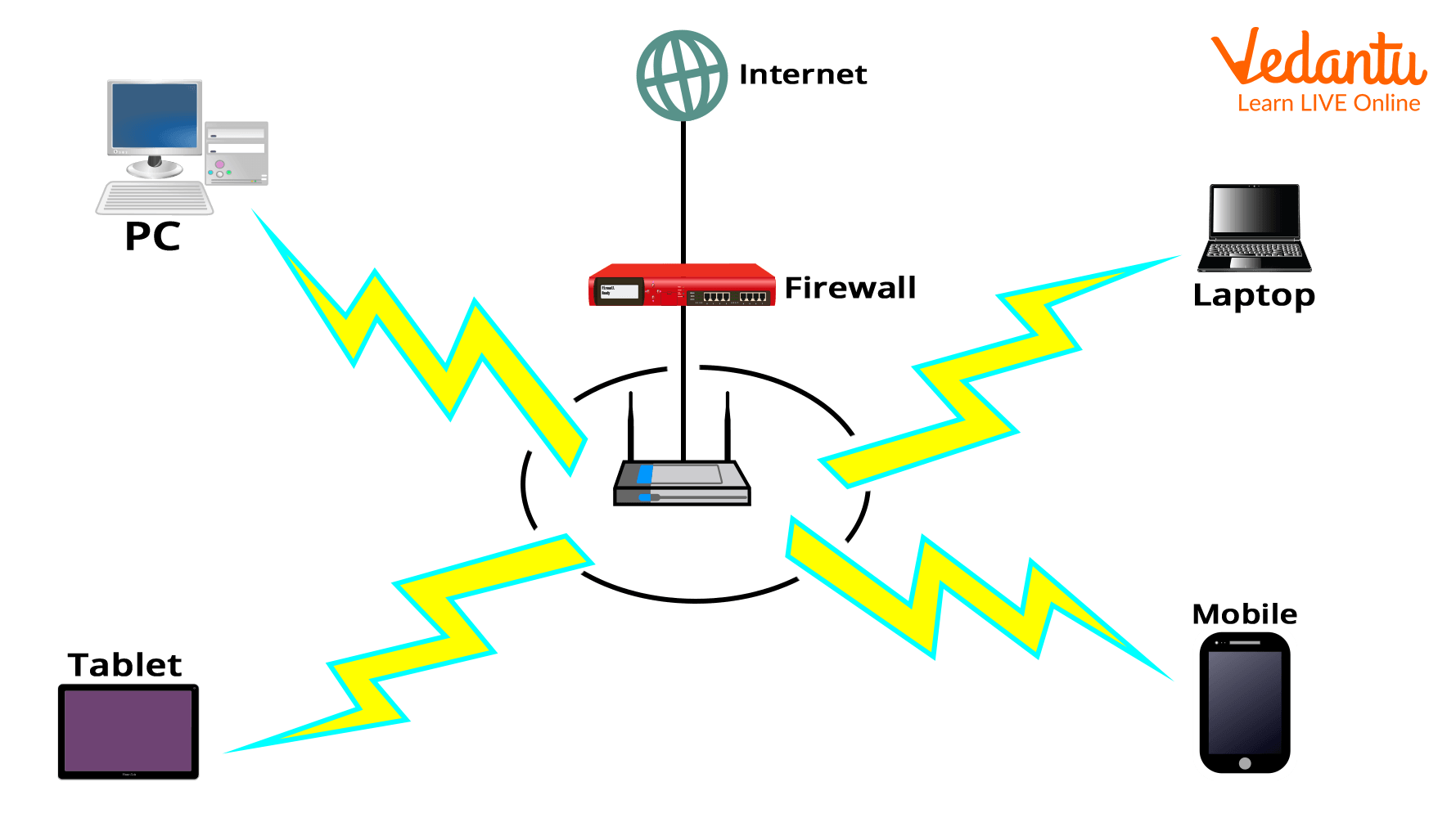
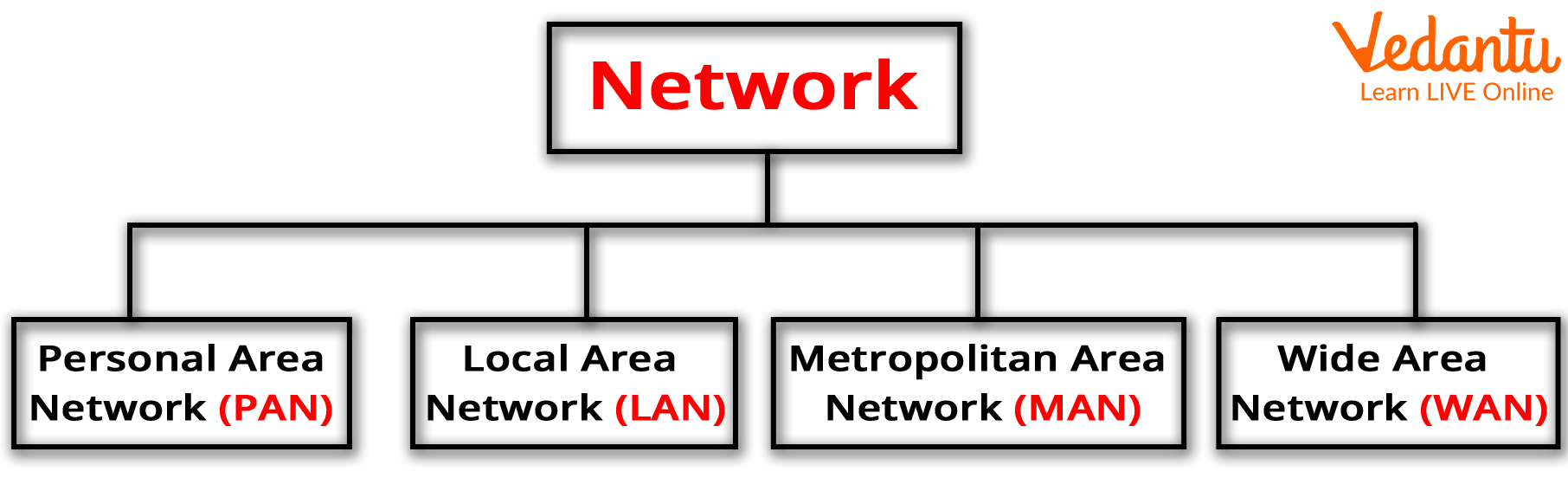
1. Personal Area Network - PAN
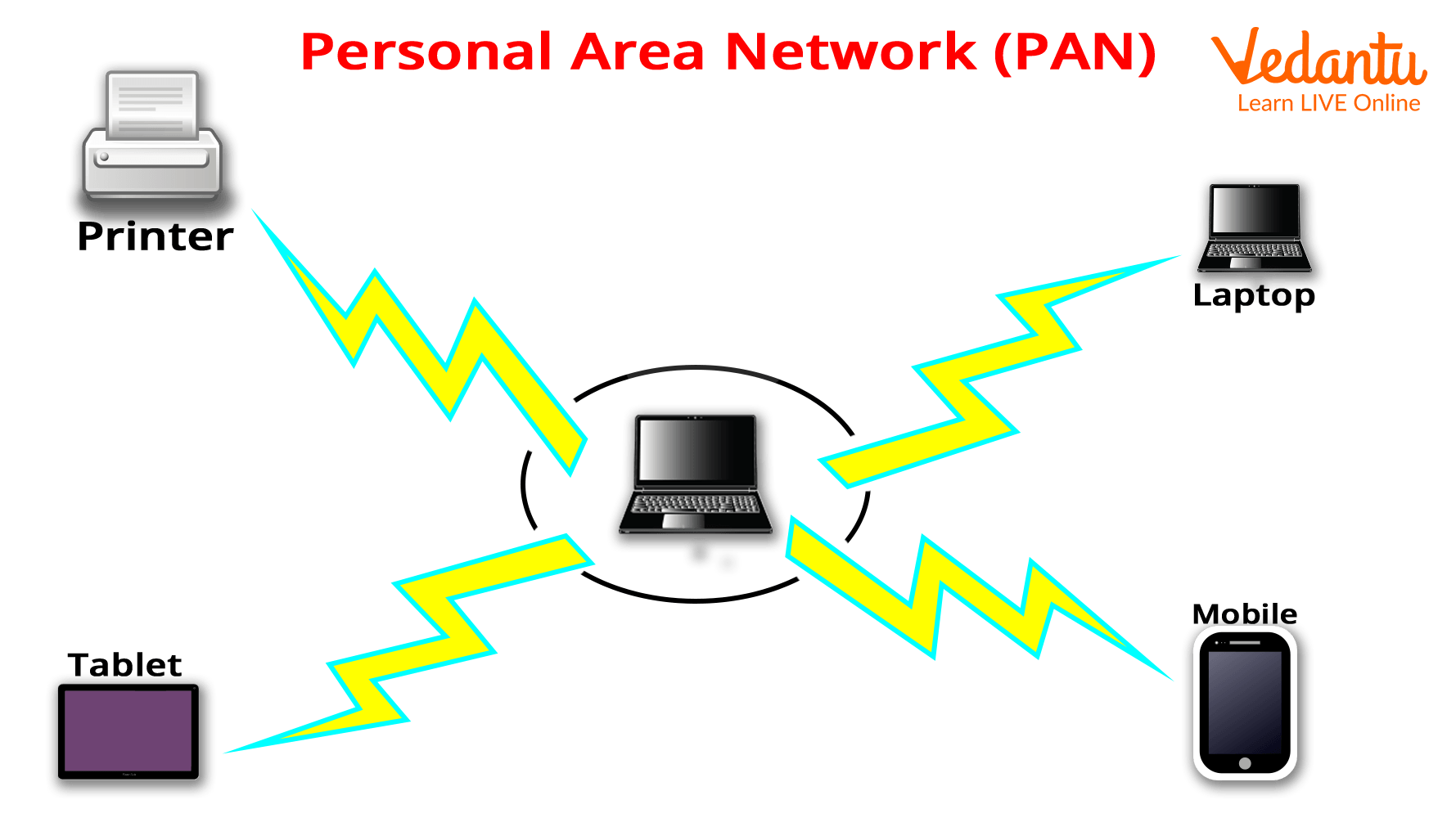
- Covers a small area such as a single room.
- Connects personal devices like smartphones, laptops, and Bluetooth devices.
- Example - Bluetooth connection between phone and headphones.
2. Local Area Network - LAN
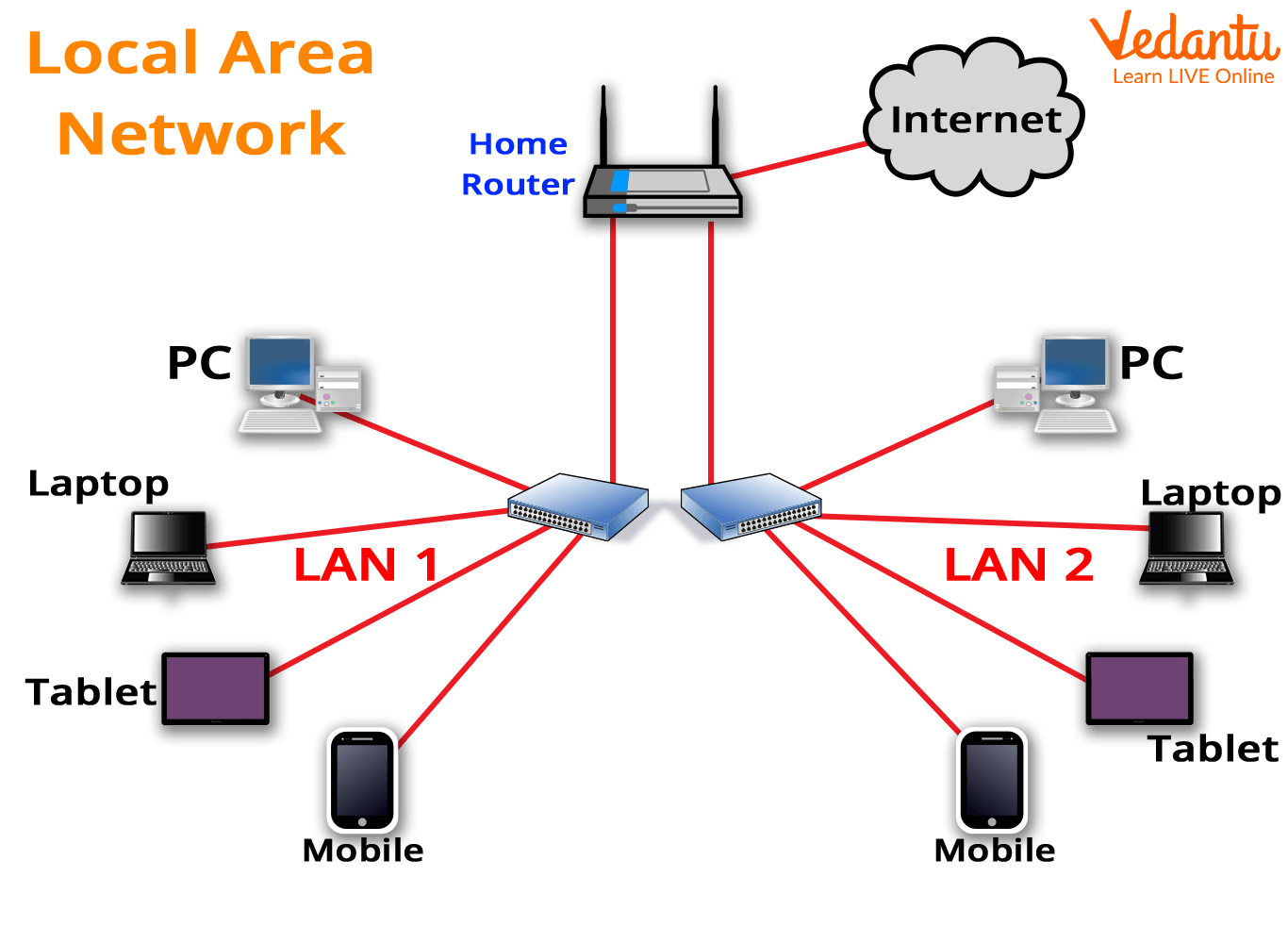
- Covers a limited area such as a school, office, or home.
- Provides high data transfer speed.
- Example - Computer lab network in a school.
3. Metropolitan Area Network - MAN
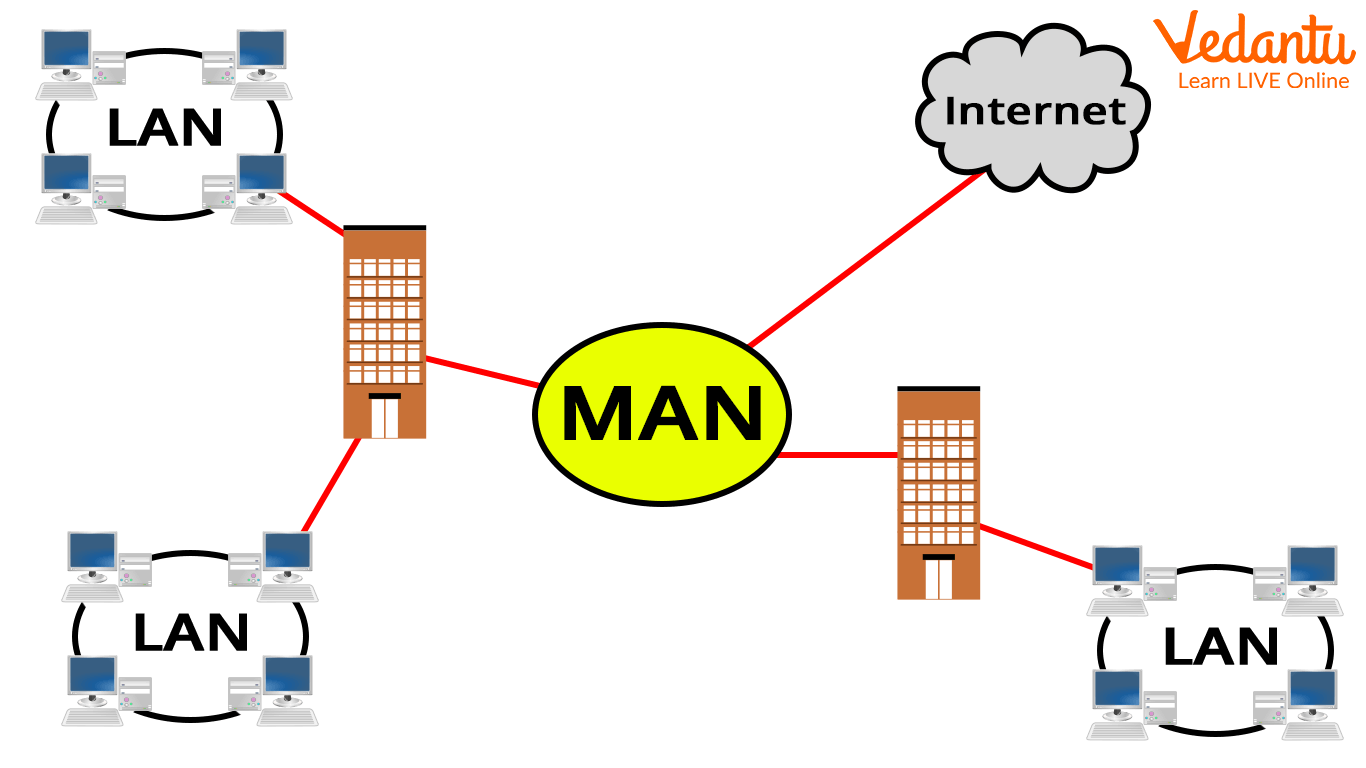
- Covers a city or metropolitan region.
- Connects multiple LANs within a city.
- Example - City-wide cable TV network.
4. Wide Area Network - WAN
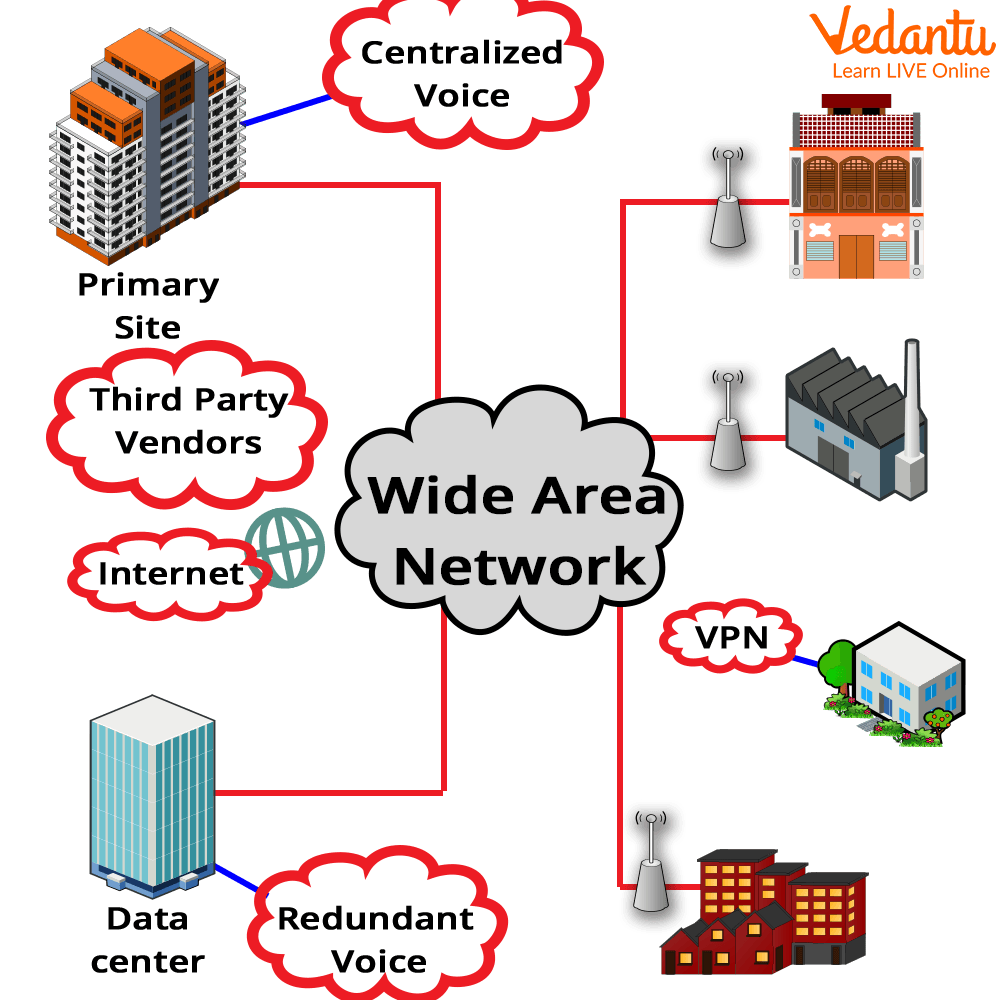
- Covers large geographical areas such as countries or continents.
- Uses leased lines, satellites, or fiber optics.
- Example - The Internet.
Components and Structure
Different types of networks share common structural components that enable communication.
- Nodes - Computers, servers, printers, and mobile devices.
- Network Interface Card - NIC - Connects a device to the network.
- Switch - Connects multiple devices within a LAN.
- Router - Connects different networks together.
- Transmission Media - Cables or wireless signals for data transfer.
Features and Characteristics
- Data sharing between multiple devices.
- Resource sharing such as printers and storage.
- Scalability based on organizational needs.
- Use of standard communication protocols.
- Security mechanisms such as firewalls and encryption.
Advantages
- Efficient communication and collaboration.
- Cost reduction through resource sharing.
- Centralized data management.
- Improved data accessibility.
Disadvantages / Limitations
- Security risks such as hacking or malware attacks.
- Network failures can disrupt communication.
- High setup cost for large networks.
- Requires regular maintenance and management.
Applications and Use Cases
- Internet access and web browsing.
- Online banking and e-commerce platforms.
- Cloud computing services.
- Corporate communication systems.
- Educational institutions and research networks.
Quick Facts About Types of Networks
| Category | Coverage Area | Example |
|---|---|---|
| PAN | Few meters | Bluetooth connection |
| LAN | Building or campus | School network |
| MAN | City | City cable network |
| WAN | Country or continent | Internet |
This table summarizes the main types of networks based on their geographical range and common examples.
Comparison Table - LAN vs WAN
| Feature | LAN | WAN |
|---|---|---|
| Coverage | Small area | Large geographical area |
| Speed | High | Comparatively lower |
| Cost | Lower setup cost | Higher setup cost |
LAN and WAN differ mainly in size, speed, and cost. LAN is suitable for small organizations, while WAN connects networks across vast distances.
Interesting Facts About Types of Networks
- The Internet is the largest example of a WAN.
- Bluetooth technology is commonly used in PAN.
- LAN networks can operate without internet access.
- MAN networks are often managed by government or large organizations.
- Fiber optic cables are widely used in WAN for high speed data transmission.
- Modern networks use both wired and wireless technologies.
Conclusion
Understanding the Types of Networks in computer science is essential for learning how devices communicate and share data. From small personal networks to global wide area networks, each type serves a specific purpose based on coverage and functionality. Knowledge of network types, their working, features, and applications helps students build a strong foundation in computer networking and prepares them for advanced topics in communication systems and internet technologies.
FAQs on Types of Networks in Computer Science Explained for Students and Beginners
1. What are the types of networks in Computer Science?
The types of networks in Computer Science are classified based on geographical coverage, architecture, and purpose.
- PAN (Personal Area Network) – Covers a small area like Bluetooth devices.
- LAN (Local Area Network) – Used within a building or campus.
- MAN (Metropolitan Area Network) – Covers a city.
- WAN (Wide Area Network) – Covers large geographical areas like the Internet.
2. What is a LAN (Local Area Network)?
A Local Area Network (LAN) is a network that connects computers and devices within a limited area such as a school, office, or home.
- High data transfer speed
- Privately owned and managed
- Uses technologies like Ethernet and Wi-Fi
3. What is a WAN (Wide Area Network)?
A Wide Area Network (WAN) connects computers over large geographical distances using public communication links.
- Connects multiple LANs and MANs
- Uses leased lines, fiber optics, or satellite links
- The Internet is the largest example of a WAN
4. What is the difference between LAN, MAN, and WAN?
The difference between LAN, MAN, and WAN lies in their coverage area, speed, and ownership.
- LAN – Small area, high speed, privately managed
- MAN – City-wide coverage, moderate speed
- WAN – Large/global coverage, comparatively lower speed
5. What is a PAN (Personal Area Network)?
A Personal Area Network (PAN) is a small network used for connecting personal devices within a few meters.
- Examples: Bluetooth, USB tethering
- Used for mobile phones, laptops, smartwatches
- Low range and low power consumption
6. What are the main components of a computer network?
The main components of a computer network include hardware and software that enable communication between devices.
- Nodes – Computers, servers, printers
- Networking devices – Router, switch, hub, modem
- Transmission media – Cables, fiber optics, wireless signals
7. What are the advantages and disadvantages of computer networks?
Computer networks provide resource sharing and communication but also introduce security and maintenance challenges.
- Advantages – File sharing, centralized data management, cost efficiency
- Disadvantages – Security risks, network failures, setup cost
8. What is the difference between wired and wireless networks?
The difference between wired and wireless networks is based on the transmission medium used for communication.
- Wired – Uses Ethernet cables, stable and high speed
- Wireless – Uses Wi-Fi or radio signals, flexible and mobile
9. What are client-server and peer-to-peer network types?
Network architecture can be classified as client-server or peer-to-peer (P2P) based on how resources are managed.
- Client-Server – Central server manages data and security
- Peer-to-Peer – All computers share resources directly
10. Why are types of networks important for exams and interviews?
Understanding the types of networks is important for Computer Science exams, competitive tests, and technical interviews.
- Common topic in school and college syllabus
- Asked in networking and cybersecurity interviews
- Forms the foundation for cloud computing and distributed systems
