









What is a Flowchart and How Do Computer Languages Work in Programming?
Flowcharts and computer languages are fundamental concepts in computer science that help in designing, understanding, and implementing programs effectively. A flowchart visually represents the steps of an algorithm or process, while computer languages are used to write instructions that a computer can execute. Together, they play a crucial role in problem solving, software development, and system design. Understanding flowcharts and computer languages helps students and professionals plan logical solutions before coding and communicate program logic clearly.
Definition and Meaning
Flowchart and Computer Languages in computer science refer to two closely related concepts used for program development and problem solving.
- Flowchart - A graphical representation of an algorithm or process using standard symbols.
- Computer Language - A formal language used to write instructions that a computer can understand and execute.
- Algorithm - A step by step procedure to solve a problem.
- Symbols - Standard shapes used in flowcharts to represent different operations.
- Syntax - The set of rules that defines how programs are written in a computer language.
How It Works / Working Principle
Flowchart and Computer Languages working follows a logical sequence where a problem is first designed visually and then implemented in code.
- Identify the problem and define the required output.
- Design an algorithm that outlines the logical steps.
- Draw a flowchart using standard symbols to represent each step.
- Translate the flowchart into a computer language such as C, C++, Python, or Java.
- Compile or interpret the program and execute it to produce the desired output.
The flowchart ensures clarity in logic, while the computer language converts that logic into executable instructions.
Types and Classification
Types of Flowcharts
- System Flowchart - Shows the overall system and data flow.
- Program Flowchart - Represents the logic of a specific program.
- Process Flowchart - Describes industrial or business processes.
- Document Flowchart - Shows the flow of documents in an organization.
Types of Computer Languages
- Machine Language - Binary instructions directly understood by the computer.
- Assembly Language - Uses mnemonics and requires an assembler.
- High Level Language - Human readable languages like C, Java, Python.
- Fourth Generation Language - Used for database queries and reports, such as SQL.
Components and Structure
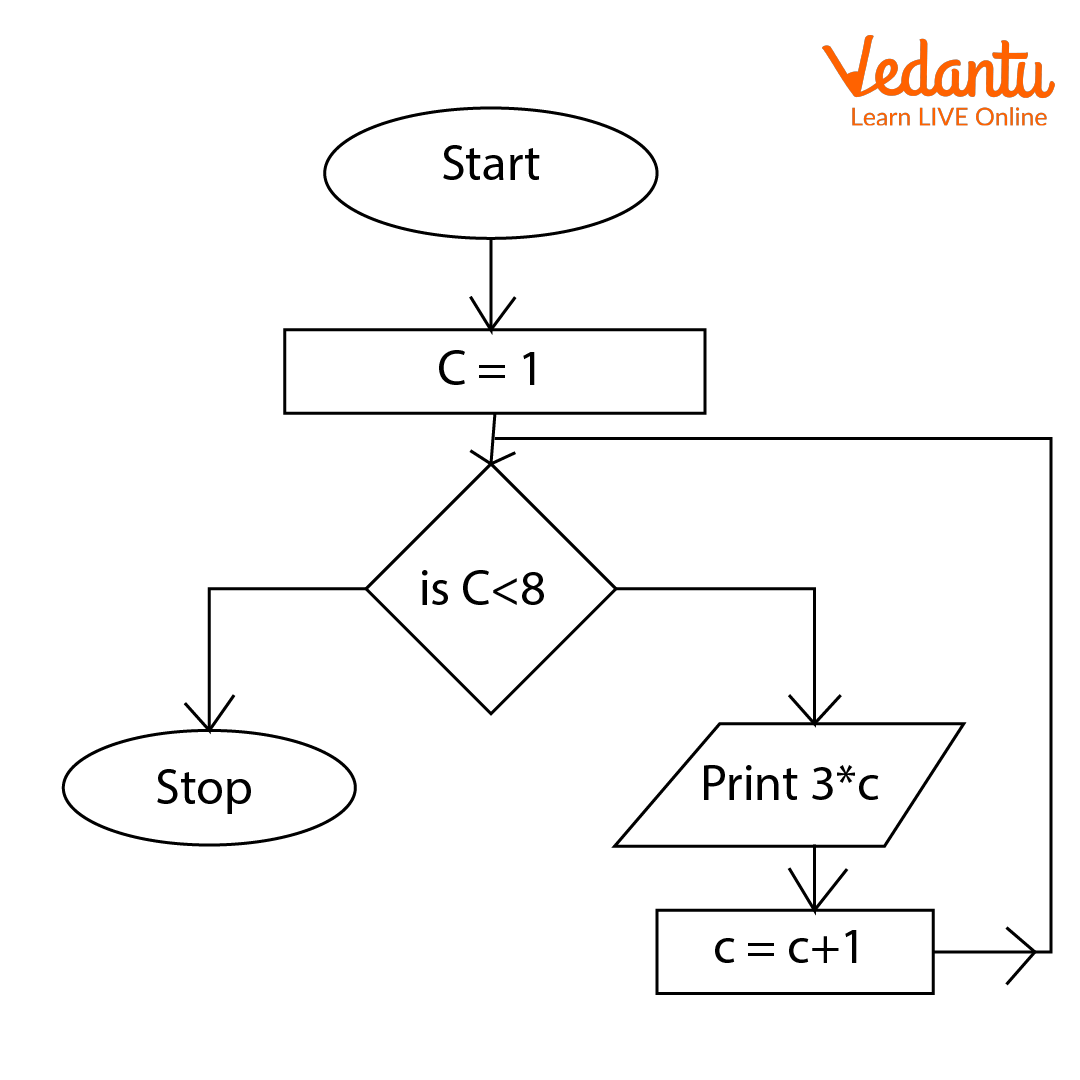
Basic Flowchart Symbols
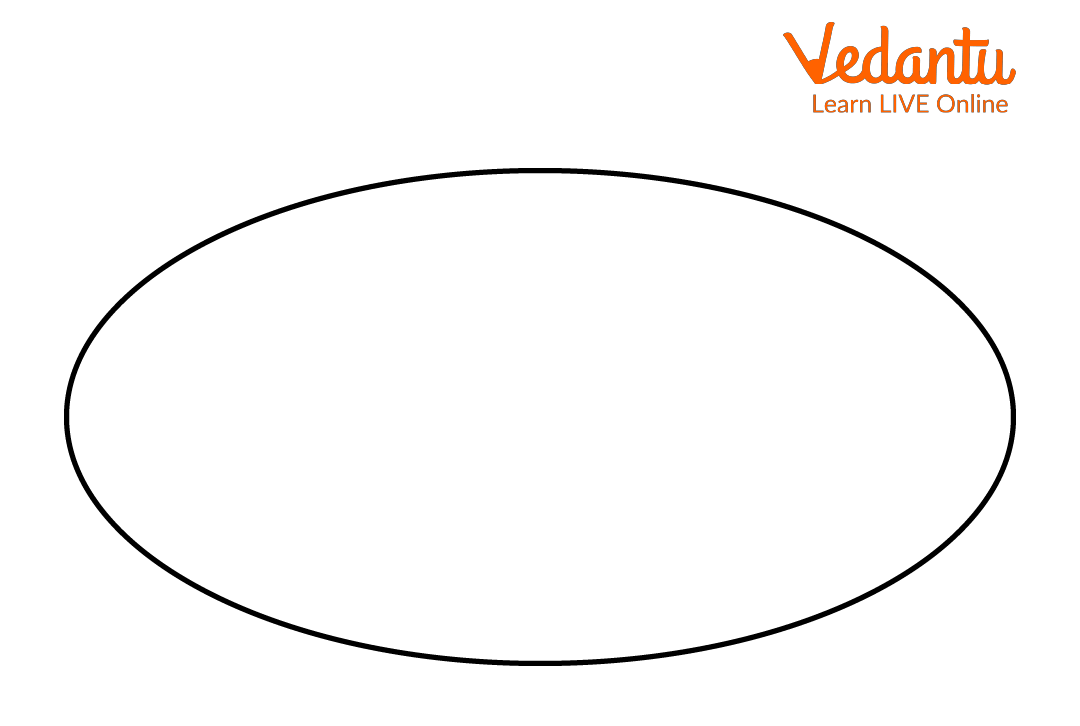
1. Terminal Symbol - Start or End (Oval)
2. Input or Output Symbol - Parallelogram

3. Process Symbol - Rectangle

4. Decision Symbol - Diamond

5. Flow Lines - Arrows

Example Flowchart:
Features and Characteristics
- Flowcharts provide a visual representation of logic.
- Computer languages follow strict syntax and grammar rules.
- Both support structured problem solving.
- Flowcharts use standardized symbols globally.
- Computer languages can be compiled or interpreted.
- Flowcharts improve debugging and error detection.
Advantages
- Clarity - Makes logic easy to understand.
- Better Communication - Helps teams discuss program structure.
- Error Reduction - Identifies logical errors before coding.
- Efficiency - Saves time during development.
- Portability - High level languages run on multiple platforms.
Disadvantages / Limitations
- Flowcharts can become complex for large programs.
- Updating flowcharts requires redrawing.
- Machine language is difficult to understand.
- High level languages require compilers or interpreters.
Applications and Use Cases
- Software development and program design.
- Algorithm planning and documentation.
- Business process modeling.
- Education and training in programming.
- System analysis and database design.
Quick Facts About Flowchart and Computer Languages
| Aspect | Flowchart | Computer Language |
|---|---|---|
| Type | Diagrammatic Tool | Programming Tool |
| Purpose | Visualize Logic | Execute Instructions |
| Examples | Program Flowchart | C, C++, Python, Java |
The table highlights the core difference between a flowchart and a computer language in terms of purpose and usage.
Interesting Facts About Flowchart and Computer Languages
- Flowcharts were widely used before modern programming tools became popular.
- The first computer languages were written in binary code.
- High level languages make programming easier and faster.
- Standard flowchart symbols are internationally recognized.
- Many IDEs now automatically generate flow like diagrams from code.
- Flowcharts are still used in competitive exams and academic learning.
Conclusion
Flowchart and Computer Languages form the foundation of programming and system development. A flowchart helps in visualizing and organizing logical steps, while a computer language converts those steps into executable instructions. Together, they enhance clarity, reduce errors, and improve program efficiency. Understanding these concepts is essential for students and professionals in computer science, as they provide the base for advanced topics such as algorithms, software engineering, and application development.
FAQs on Flowchart and Computer Languages Concepts and Applications
1. What is a flowchart in Computer Science?
A flowchart is a graphical representation of an algorithm or process used in Computer Science to solve a problem step by step.
- Uses standard symbols to represent operations, decisions, input, and output
- Helps in program planning before coding in a programming language
- Improves logical thinking and debugging skills
- Commonly used in software development and exam preparation
2. What are the standard symbols used in a flowchart?
Flowchart symbols represent different operations in an algorithm and are standardized for clear communication.
- Oval – Start/End (Terminator)
- Rectangle – Process or instruction
- Parallelogram – Input/Output
- Diamond – Decision making
- Arrow – Flow of control
3. What are the advantages and disadvantages of using flowcharts?
Flowcharts make algorithms easy to understand but may become complex for large systems.
- Advantages: Visual clarity, easy debugging, better program design, useful in exams and interviews
- Disadvantages: Time-consuming to draw, difficult to modify for complex software, limited scalability
4. What is a computer language?
A computer language is a formal language used to communicate instructions to a computer for executing programs and performing tasks.
- Used in software development, web development, databases, and AI
- Includes syntax and semantic rules
- Examples: C, Java, Python, SQL
5. What are the types of computer languages?
Computer languages are classified based on their level of abstraction from hardware.
- Machine Language – Binary instructions executed directly by CPU
- Assembly Language – Uses mnemonics and requires an assembler
- High-Level Language – Human-readable languages like Python, Java, C++
- Fourth-Generation Languages (4GL) – Used for database queries and reporting like SQL
6. What is the difference between flowchart and algorithm?
An algorithm is a step-by-step written procedure, while a flowchart is its graphical representation.
- Algorithm is text-based and easier to modify
- Flowchart is visual and better for understanding program flow
- Both are used in program design and problem-solving
7. How do flowcharts help in programming and software development?
Flowcharts help programmers design logic before writing code in a programming language.
- Clarify control structures like loops and conditions
- Reduce logical errors during coding
- Improve communication among development teams
- Useful in academic projects and competitive exams
8. What is the difference between high-level and low-level languages?
High-level languages are user-friendly, while low-level languages are closer to machine hardware.
- High-level: Easy syntax, portable, requires compiler or interpreter (Python, Java)
- Low-level: Faster execution, hardware-dependent (Machine language, Assembly)
- High-level languages improve productivity in software development
9. What are compilers and interpreters in computer languages?
Compilers and interpreters are translators that convert high-level programming languages into machine code.
- Compiler – Translates the entire program at once (e.g., C, C++)
- Interpreter – Translates and executes line by line (e.g., Python)
- Essential for program execution in operating systems
10. Why are flowcharts and computer languages important for exams and interviews?
Flowcharts and computer languages form the foundation of programming, algorithms, and software development concepts.
- Frequently asked in school and university exams
- Important for competitive exams like engineering entrance and government exams
- Core topics in coding interviews and technical rounds
- Help in understanding data structures, algorithms, and system design
