








How Computers Are Used In Banks With Functions Features And Real World Applications
Computers have transformed the banking sector by making financial operations faster, more accurate, and highly secure. The use of computers in banks helps manage customer accounts, process transactions, maintain records, and provide online services efficiently. In modern banking, almost every activity - from updating passbooks to online fund transfers - depends on computer systems. Understanding Using Computers In Banks in computer science is important because it shows how information technology supports financial institutions, improves customer service, and ensures data security in daily banking operations.
Definition and Meaning
Using Computers In Banks definition refers to the application of computer systems and software to perform, manage, and automate various banking operations. Computers help banks store, process, and secure large volumes of financial data.
- Banking software - Programs used to manage accounts and transactions.
- Database - Digital storage of customer and transaction data.
- Transaction processing system - System that handles deposits, withdrawals, and transfers.
- Online banking - Internet-based banking services.
How It Works / Working Principle
The Using Computers In Banks working process involves capturing customer data, processing financial transactions, and storing records securely in databases.
- Customer data is entered into the banking system using input devices.
- The computer processes the transaction using banking software.
- Data is updated in the central database in real time.
- Security systems verify the transaction using authentication methods.
- The output is generated in the form of receipts, account statements, or digital confirmation.
This process ensures speed, accuracy, and reliability in banking operations.
Types and Classification
Using Computers In Banks types can be classified based on their functions in banking operations.
- Core Banking Systems - Manage customer accounts and inter branch services.
- ATM Systems - Allow cash withdrawal and balance inquiry.
- Online Banking Systems - Provide internet-based services.
- Loan Management Systems - Track loan applications and repayments.
- Investment and Trading Systems - Handle buying and selling of shares.
Components and Structure
The banking computer system consists of several important components that work together.
- Hardware - Computers, servers, ATMs, printers.
- Software - Core banking applications and database systems.
- Database - Stores customer records and transaction history.
- Network - Connects branches and enables inter branch services.
- Security Systems - Firewalls, encryption, and authentication tools.
Top 10 Uses of Computers in Banks
The following are the major Using Computers In Banks examples that highlight their importance in daily banking activities.
1. Updating Pass Books

Computers automatically update transaction details in customer passbooks.
2. Maintaining Accounts

All savings, current, and fixed deposit accounts are maintained digitally.
3. Storing Data
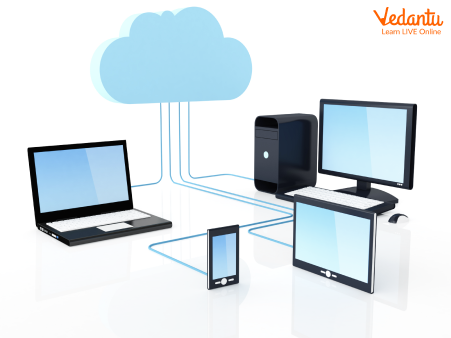
Banks store customer records securely in databases.
4. Doing Calculations

Interest, taxes, and loan EMI are calculated accurately using computers.
5. Providing Security
Encryption and authentication systems protect financial data.
6. Inter Branch Services
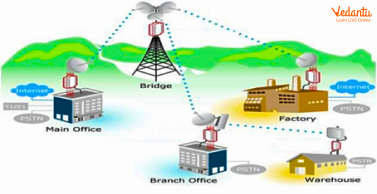
Customers can access accounts from any branch through networked systems.
7. Buying and Selling of Shares

Computers help process investment and trading transactions.
8. Bank Account Statements

Statements are generated instantly in printed or digital format.
9. Online Banking
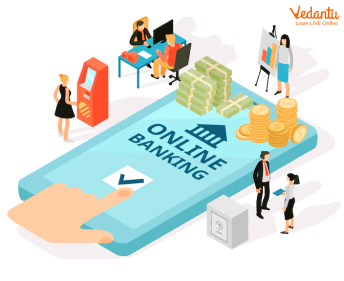
Customers can transfer funds, pay bills, and check balances online.
10. Bank Receipts

Receipts are generated automatically after every transaction.
Features and Characteristics
- High speed transaction processing.
- Accurate calculations and record keeping.
- Centralized database management.
- Strong data security and encryption.
- 24x7 online banking availability.
Advantages
- Reduces human errors.
- Saves time and operational costs.
- Improves customer service.
- Enables secure digital transactions.
- Supports large scale data storage.
Disadvantages / Limitations
- Risk of cyber attacks and hacking.
- System failures may disrupt services.
- High installation and maintenance cost.
- Requires skilled IT professionals.
Applications and Use Cases
- Managing savings and current accounts.
- Processing loans and credit facilities.
- ATM services and cash management.
- Online fund transfers and bill payments.
- Investment and share trading services.
Quick Facts About Using Computers In Banks
| Category | Details |
|---|---|
| Type | Application of Computer Systems |
| Used For | Banking Operations and Financial Management |
| Key Features | Speed, Accuracy, Security, Automation |
| Platform Support | Servers, ATMs, Web and Mobile Applications |
These quick facts summarize the core aspects of using computers in the banking sector.
Interesting Facts About Using Computers In Banks
- Modern banks process millions of transactions per second using computer systems.
- Core banking allows customers to access accounts from any branch nationwide.
- Encryption technology protects sensitive financial data.
- Online banking reduces the need for physical visits to banks.
- Automated systems detect suspicious transactions to prevent fraud.
- Digital records replace large volumes of paper documents.
Conclusion
Using computers in banks plays a vital role in modern financial systems. From maintaining accounts to enabling secure online banking, computers ensure speed, accuracy, and efficiency in every banking operation. Understanding this topic helps students see how computer science supports real world industries like banking and finance. As technology advances, computer based banking systems will continue to improve security, accessibility, and customer convenience.
FAQs on Using Computers In Banks in Modern Banking Systems
1. What is the role of computers in banks?
Computers in banks are used to manage financial data, process transactions, and provide secure digital banking services efficiently.
- Maintain customer databases and account records
- Process deposits, withdrawals, and fund transfers
- Support online banking and mobile banking applications
- Enhance cybersecurity and fraud detection systems
2. How do computers process transactions in banks?
Computers in banks process transactions using core banking systems (CBS) and secure database management systems.
- Input transaction data through ATM, online banking, or teller systems
- Validate data using application software and business rules
- Update records in a centralized database management system (DBMS)
- Generate confirmation messages and transaction logs
3. What is a Core Banking System (CBS)?
A Core Banking System (CBS) is centralized banking software that allows customers to access services from any branch in real time.
- Uses networking and cloud computing technologies
- Stores data in a centralized server and database
- Enables real-time processing of transactions
- Improves efficiency and scalability
4. What are the main components of computer systems used in banks?
Banking computer systems consist of hardware, software, databases, and network infrastructure.
- Hardware: Servers, ATMs, desktops, data centers
- Software: Banking applications, operating systems
- Database: Customer and transaction data storage
- Network: Secure communication systems and internet connectivity
5. What are the advantages of using computers in banks?
Using computers in banks increases speed, accuracy, and security in financial operations.
- Faster transaction processing
- Reduced human errors through automation
- Improved data security with encryption
- 24/7 services via online and mobile banking
6. What are the disadvantages or challenges of computers in banking?
Despite many benefits, computers in banking face cybersecurity and system-related challenges.
- Risk of cyber attacks and data breaches
- High cost of IT infrastructure and maintenance
- System failures or server downtime
- Dependence on stable network connectivity
7. How do databases help banks manage customer information?
Banks use Database Management Systems (DBMS) to securely store, retrieve, and manage large volumes of customer data.
- Store account details and transaction history
- Use SQL queries to retrieve information
- Ensure data integrity and backup
- Support analytics and reporting systems
8. How is cybersecurity implemented in banking computer systems?
Cybersecurity in banks protects sensitive financial data using advanced security technologies and protocols.
- Encryption for secure data transmission
- Firewalls and intrusion detection systems
- Multi-factor authentication (MFA)
- Regular software updates and security audits
9. What are the applications of artificial intelligence and machine learning in banks?
Banks use Artificial Intelligence (AI) and Machine Learning (ML) to automate services and detect fraud.
- Fraud detection using predictive algorithms
- Chatbots for customer support
- Credit scoring and risk assessment
- Data analytics for personalized banking services
10. Why is the topic “Using Computers in Banks” important for exams and interviews?
The topic is important because it connects core Computer Science concepts like databases, networking, cybersecurity, and software systems with real-world banking applications.
- Frequently asked in school and competitive exams
- Relevant for banking, IT, and software interviews
- Demonstrates understanding of real-time systems and data processing
- Highlights practical use of computer networks and DBMS
